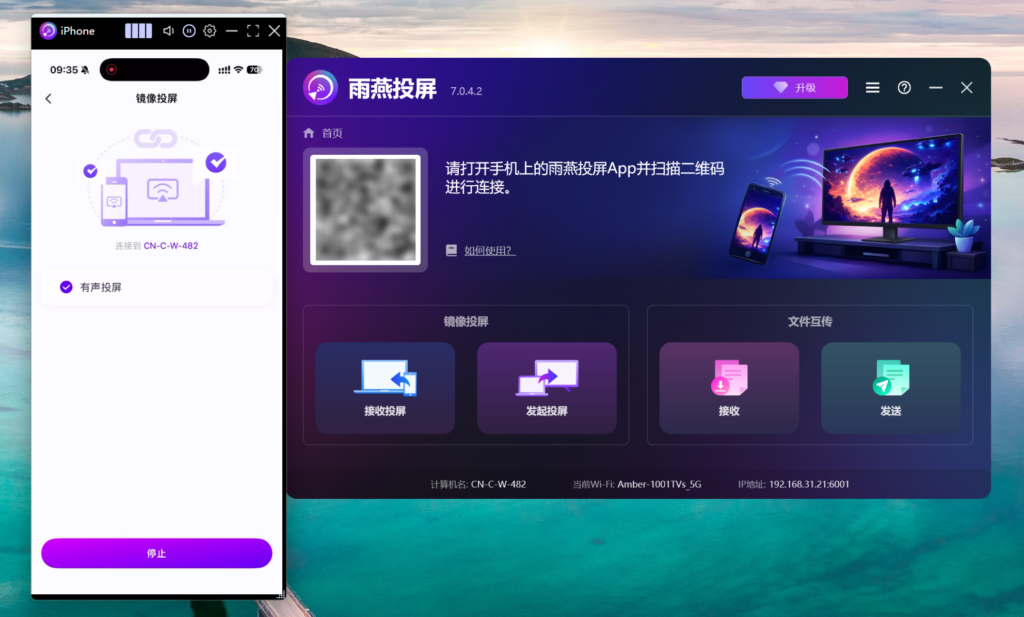
[iOS] 如何将苹果手机屏幕投屏到PC?
1001 TVs 让您轻松将 iPhone 屏幕投屏到 Windows PC,无论是工作演示还是娱乐分享,都能轻松实现。以下是详细的操作步骤:
1. 确保网络连接
请确保您的 iPhone 和 Windows PC 连接在同一个 Wi-Fi 网络下。为了获得更流畅的投屏体验,建议使用 5G 频段的 Wi-Fi.
2. 安装并打开雨燕投屏APP
在 iPhone 和 Windows PC 上分别安装并打开Rain Bird Screen Casting App:
📥 Windows版: 点击下载安装包
📱 苹果版: 在App Store下载
3. 连接设备
可选择以下任意一种方法连接设备。
1) 在 iPhone 上打开“雨燕投屏”APP,在主界面或“Mirroring Screen Casting”界面点击右上角”扫描“图标。
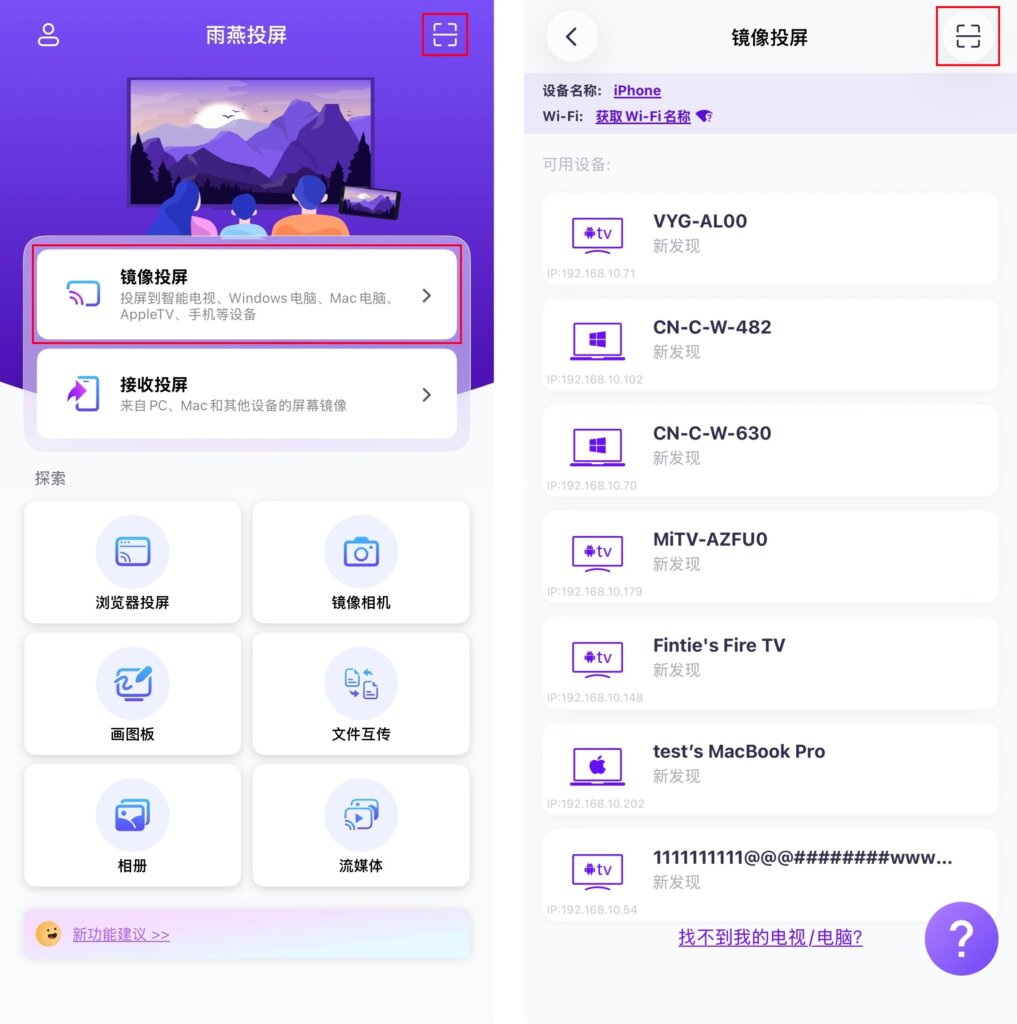
使用 iPhone 扫描 PC 界面上的二维码,快速完成配对。
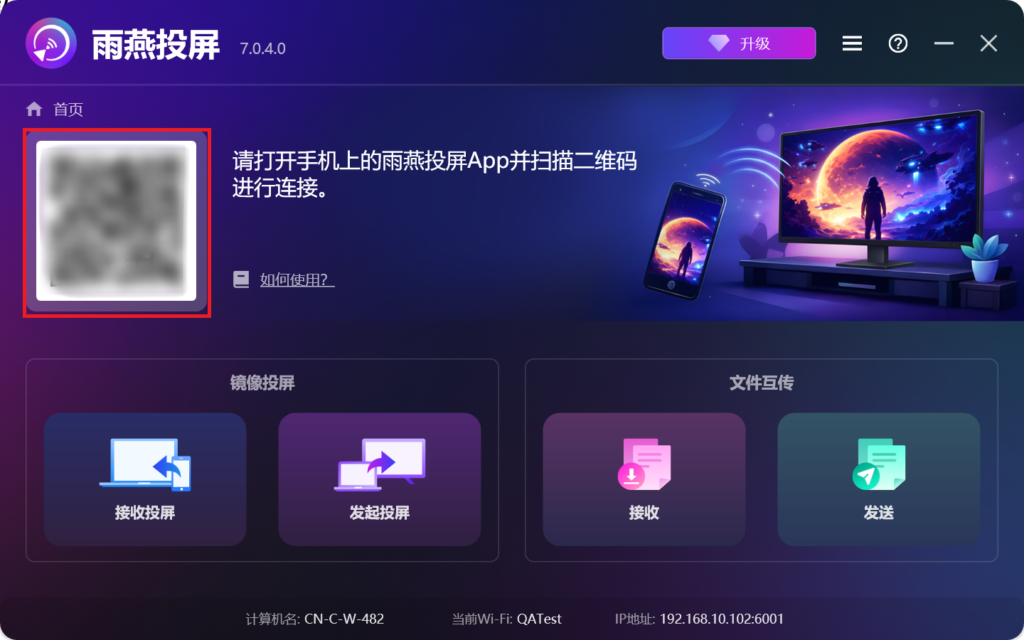
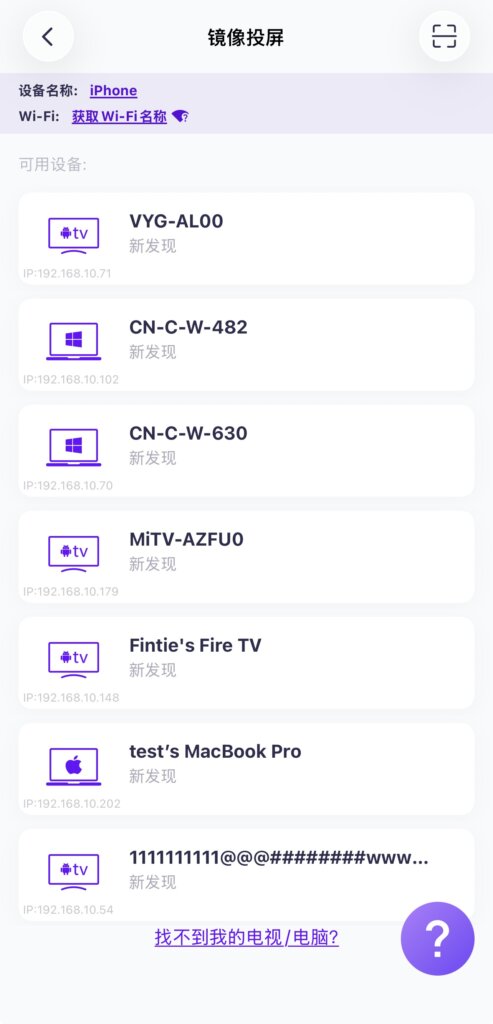
2)在设备列表中选择你的接收端以连接。
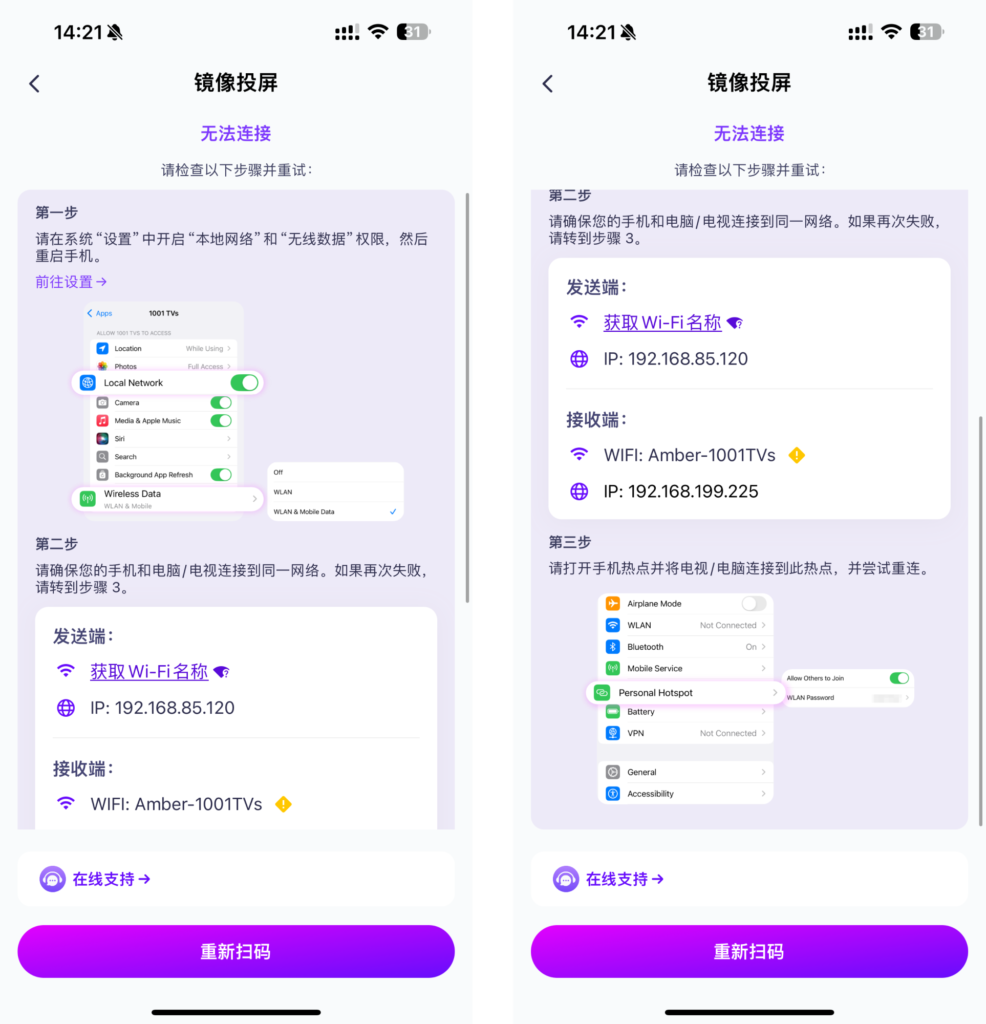
若显示如下无法连接界面,请根据步骤再次检查网络设置。
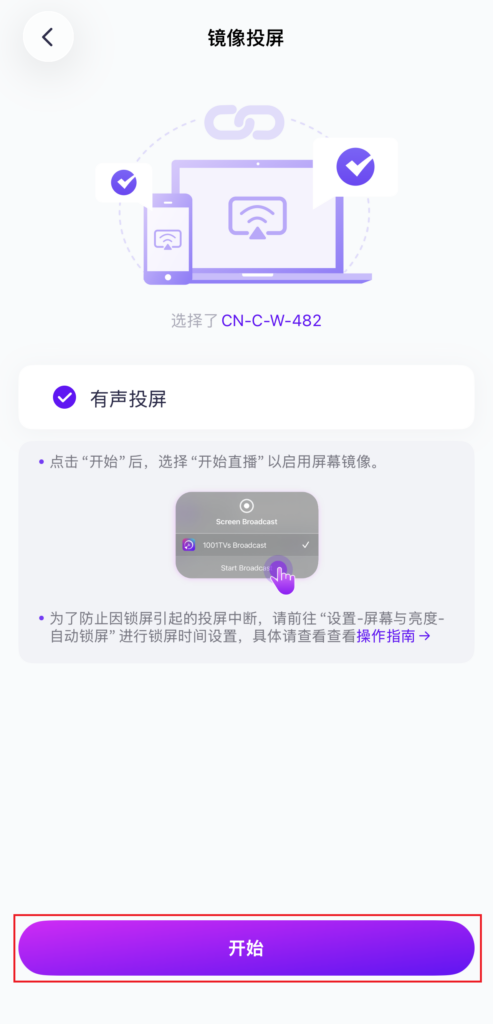
4. Start screen casting
连接成功后,点击“开始” ➜ “Start Live”,即可将 iPhone 屏幕投屏到 Windows PC 上。
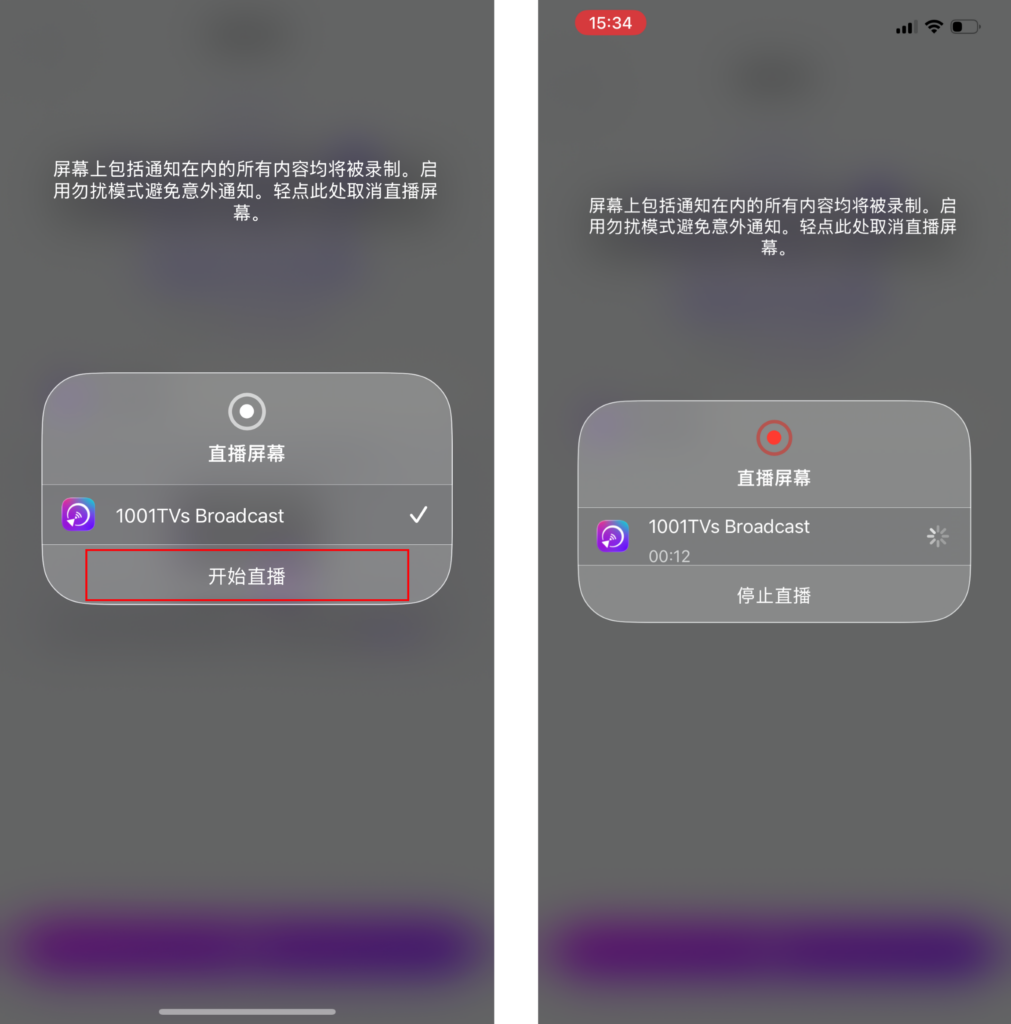
Wow! Congratulations! The phone screen is now on the computer!